Written by: Doug Camplejohn, CEO & Co-Founder, Coffee | Last updated: August 6, 2026
Key Takeaways
- Sales professionals spend only 40% of their time selling because of manual CRM updates, which creates measurable productivity losses.
- Eight automation methods exist, ranging from native Salesforce features to autonomous AI agents that handle both structured and unstructured data.
- Native tools and low-code flows excel at structured data but cannot process emails, transcripts, or unstructured interaction content.
- Autonomous AI agents that ingest unstructured data and write enriched records back to Salesforce close the largest data-entry gaps.
- Teams ready to eliminate manual Salesforce data entry can get started with Coffee today.
The 8 Salesforce Automation Methods, From Native Tools to AI Agents
- Einstein Activity Capture (EAC). EAC syncs emails and calendar events from Google Workspace or Microsoft 365 to Salesforce activity timelines automatically. Salesforce requires EAC for Microsoft Office 365 to migrate from Exchange Web Services to Microsoft Graph authentication by August 2026, ahead of Microsoft’s October 2026 retirement of EWS, and Salesforce now recommends enabling Sync Email as Salesforce Activity so captured emails are stored as standard EmailMessage and Task records available for reporting and Agentforce features. EAC reduces manual activity logging but does not capture unstructured content from email bodies or call transcripts. Activity 360 Reporting and Activity Metrics will be retired in the Summer ’26 release, so teams must migrate to standard Salesforce activity reports.
- Record-Triggered Flows. Salesforce Flow Builder lets admins automate field updates, record creation, and notifications when a record is created or changed. Spring ’26 extended record-triggered Flows to ContentDocument and ContentVersion objects, which enables file-based data capture and downstream write-back without custom Apex. Flows work well for deterministic, structured-data steps but require admin expertise to build and maintain. Salesforce’s Orchestration Density framework recommends Flows only for fully specifiable, rule-based paths, not for tasks that need reasoning over unstructured inputs.
- Duplicate Management and Deduplication Rules. Native Salesforce duplicate rules and matching rules prevent redundant records at the point of entry. Without active deduplication governance, duplicate record rates can commonly reach 10–25% of total CRM records. Native deduplication catches exact or fuzzy matches on structured fields but does not resolve duplicates created by manual entry errors in unstructured fields. It also requires ongoing rule tuning as data volumes grow.
- Agentforce Low-Code AI Actions. Salesforce’s Agentforce 360 Platform lets teams build AI agents using visual tools that update records automatically after a workflow completes. Basic Flow-based Agentforce actions can be deployed relatively quickly, while Apex or MuleSoft integrations take longer depending on scope. Agentforce actions are invoked dynamically by AI based on conversational context, which differs from traditional workflow rules. These actions remain scoped to Salesforce’s data model and require Agentforce licenses in addition to existing Salesforce editions.
- Change Data Capture (CDC). Salesforce Change Data Capture publishes change events for record creation, update, deletion, and undeletion, enabling near-real-time synchronization to external systems instead of periodic exports or repeated API calls. CDC suits teams that maintain data warehouses or bi-directional integrations with ERP systems. Implementation requires Apex or MuleSoft expertise and ongoing monitoring for event replay and subscriber management.
- Third-Party Data Enrichment Tools. Platforms such as ZoomInfo, Apollo.io, and Clearbit append structured firmographic and contact data to Salesforce records via API. These tools improve field completeness for known data types such as job title, company size, and funding stage. They do not capture interaction data, call content, or deal context. They also add a separate subscription cost and create another data silo that RevOps must reconcile with the CRM. CRM databases degrade at 30% per year, so enrichment tools need continuous re-enrichment cycles to stay accurate.
- Document and Form Processing Automation. Teams that process contracts, intake forms, or field checklists can reduce transcription errors with document and form processing tools. These tools handle structured form inputs reliably. They do not process free-text documents, email threads, or call recordings without additional OCR or NLP layers.
- Autonomous AI Agents with Email, Calendar, and Transcript Ingestion. The most complete automation tier ingests unstructured data such as email bodies, calendar metadata, call transcripts, and web activity. It then writes enriched contacts, activities, and pipeline changes back to Salesforce without manual steps. AI-powered automations can save employees several hours per week and substantially reduce CRM data entry time. This tier requires an agent with deep Salesforce write-back capability, human-in-the-loop approval controls, and a single pipeline that handles both structured and unstructured data. Coffee operates at this tier.
See how Coffee compares to the other seven methods, and review pricing and implementation options.
Coffee Agent on Salesforce: How the Companion App Works
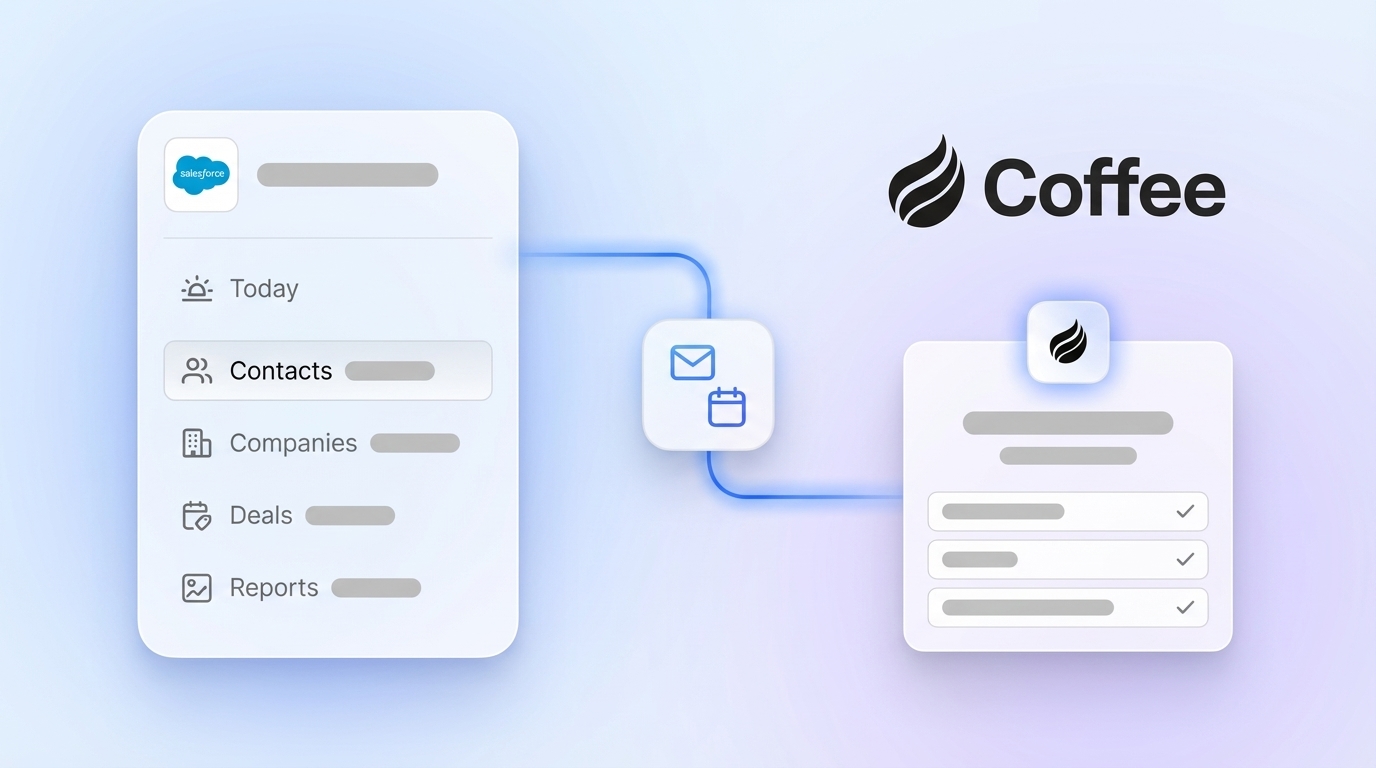
Coffee deploys as a Companion App on top of existing Salesforce instances. Once you connect Google Workspace or Microsoft 365, the Coffee Agent immediately starts closing the unstructured data gap that native tools leave open. It scans emails and calendars to auto-create contacts, companies, and activity records in Salesforce. Beyond email and calendar, it joins calls via Zoom, Teams, or Meet to record and transcribe conversations, then generates structured summaries formatted to BANT, MEDDIC, or SPICED and writes them back to Salesforce. Coffee released improved summary templates in November 2025, which teams can customize to match their workflows and write back to Coffee, HubSpot, or Salesforce.

The agent also processes financial signals from billing systems. Coffee’s Stripe integration, launched in January 2026, automatically imports customers and companies, enriches them, and marks paid invoices as Closed Won deals. The QuickBooks integration, released in February 2026, syncs invoices and payment statuses in real time. Deal stages in Salesforce update autonomously from these financial system events, so reps do not need to touch the record.
Coffee includes human-in-the-loop approval as a core workflow pattern. The prevailing 2026 pattern in sales automation is graduated autonomy, and Coffee follows that model. The agent drafts summaries, flags pipeline changes, and queues write-backs for rep review before committing high-stakes updates, while routine activity logging runs fully autonomously. A mid-market AI solutions firm generating tens of millions in revenue adopted Coffee after deciding Salesforce’s native tooling felt too manual. Automatic contact creation from Google Workspace kept the CRM clean without human effort. The Pipeline Compare feature then replaced manual CSV exports for weekly reviews and recovered hours of RevOps time each cycle.

Side-by-Side Comparison: Native Tools, Low-Code, and AI Agents
| Method Category | Data Quality | Implementation Effort | Ongoing Administrative Burden |
|---|---|---|---|
| Native Salesforce (EAC, Deduplication, CDC) | Structured fields only, manual error rates persist for unlogged interactions, no unstructured data handling | Low to medium, EAC is configuration-only, CDC requires Apex or MuleSoft development | High, EAC requires migration to Microsoft Graph by August 2026, deduplication rules need ongoing tuning |
| Low-Code Flows and Agentforce Actions | Deterministic accuracy for structured paths, not suitable for unstructured or mixed-modality inputs | Medium, basic Flow actions can be deployed relatively quickly while Apex or MuleSoft integrations take longer | Medium, requires admin ownership for flow versioning, governor limit management, and Agentforce license governance |
| Third-Party Enrichment (ZoomInfo, Apollo) | High for firmographic fields, zero coverage for interaction or unstructured data, requires continuous re-enrichment due to annual degradation (see method 6) | Low to medium, API connector setup plus field mapping, separate subscription required | Medium, continuous re-enrichment cycles needed, reconciliation with CRM records ongoing |
| Autonomous AI Agent (Coffee) | Automation can reduce data errors, covers structured and unstructured data including emails, transcripts, and financial events | Low, single authentication to connect Google Workspace or Microsoft 365 and Salesforce, no Apex required | Low, agent runs autonomously with approval controls for high-stakes write-backs, no ongoing admin configuration cycles |
The table above shows that only autonomous AI agents handle unstructured data, and this capability directly affects data quality. AI-automated CRM updates can substantially reduce missing field rates in the first 90 days of deployment. An estimated 79% of opportunity-related data gathered during sales calls is never entered into the CRM under manual or semi-automated regimes, and transcript-ingesting agents close that gap.
Best-Fit Automation by Salesforce Team Stage
Early-stage teams (under 10 reps, no existing Salesforce investment). Native EAC plus basic Flow automation covers the essentials at low cost. The primary risk is that manual entry gaps compound quickly as pipeline volume grows and poor data habits become embedded. To prevent this compounding effect, teams at this stage benefit most from establishing clean data habits early, which an autonomous agent enforces by default.
Growing sales organizations (10–50 reps, Salesforce established but adoption can be improved). A healthy Salesforce weekly active user rate becomes a key metric. Teams in this range usually face the manual entry problem at scale, and many sales reps spend five or more hours a week on manual CRM entry. Low-code Flows reduce structured-data burden, but call transcript and email data remain uncaptured. Adding Coffee as a Companion App closes this gap without replacing the existing Salesforce investment.

Established mid-market teams (50–500 reps, RevOps function in place). As teams scale beyond 50 reps, the challenge shifts from individual productivity to organizational visibility. Organizations moving from low to high CRM adoption can see significant ROI within the first 18 months. The priority becomes forecast accuracy and pipeline visibility. Autonomous AI agents that write enriched, structured data back to Salesforce, including deal stage changes derived from transcript analysis, directly improve the forecast signal that RevOps depends on.
Decision Framework Checklist for Choosing an Automation Tier
Use the following criteria to match your constraints to the right automation tier:
- Budget is limited and IT resources are available: Start with native EAC and record-triggered Flows and accept structured-data coverage only.
- Low-code preferred, no Apex team: Agentforce low-code actions on Flows cover medium-complexity automation, and non-trivial deployments typically take 2–6 weeks.
- Unstructured data (emails, transcripts, PDFs) must be captured: Native and low-code tools are insufficient, so an autonomous AI agent is required.
- Salesforce must remain the system of record: Coffee writes back to Salesforce natively, so no CRM migration is required.
- Human approval required before CRM write-back: Coffee’s approval workflow follows the human-in-the-loop model described earlier and queues high-stakes updates for rep review.
- Data security and compliance are non-negotiable: Coffee is SOC 2 Type 2 and GDPR compliant, and data is not used to train public models.
- Stack consolidation is a goal: Coffee replaces standalone enrichment (ZoomInfo), conversation intelligence (Gong), and sequencing (Salesloft) in a single agent.
Once you have answered these checklist items, you can map your needs to a specific deployment path and pricing tier.
Match your checklist answers to a Coffee plan and see pricing by team size and use case.
Frequently Asked Questions
How long does it take to implement Coffee on top of an existing Salesforce instance?
Implementation uses a single authentication step that connects your Google Workspace or Microsoft 365 account and your Salesforce instance. There is no Apex development, no Flow configuration, and no data migration. Most teams have the Coffee Agent logging activities and writing enriched records to Salesforce within the same business day they connect. The agent begins scanning emails and calendars immediately upon connection and populates contacts, companies, and activity records automatically from that point forward.
What expertise is required to maintain the Coffee Agent over time?
Coffee is designed for RevOps leaders and Heads of Sales, not Salesforce administrators or developers. The agent runs autonomously once connected and requires no ongoing technical maintenance. The only customization most teams need is adjusting summary templates through a no-code interface to match BANT, MEDDIC, SPICED, or custom qualification frameworks. Human-in-the-loop approval settings, which control which write-backs require rep review before committing, are managed through the Coffee dashboard without touching Salesforce configuration. There are no governor limits, Flow versioning cycles, or Agentforce license governance requirements.
How does Coffee handle data security and Salesforce field permissions?
Coffee is SOC 2 Type 2 and GDPR compliant. Data ingested by the agent, including email content, calendar metadata, and call transcripts, is not used to train public AI models. When writing back to Salesforce, the agent respects existing field-level security and record access controls defined in your Salesforce org. Required fields, validation rules, and object permissions are honored, so the agent writes only to fields the authenticated user has permission to edit. This behavior differs from generic automation tools that may bypass Salesforce’s permission model.
Can Coffee replace our existing Salesforce enrichment and conversation intelligence tools?
For most mid-market teams, Coffee can replace several point solutions. It performs the functions of standalone enrichment tools by augmenting records with job titles, funding data, and LinkedIn profiles via licensed data partners. It replaces conversation intelligence platforms by joining calls, transcribing them, generating structured summaries, and writing those summaries back to Salesforce automatically. It also replaces manual pipeline review exports by tracking week-over-week deal changes through its Pipeline Compare feature, which builds on the autonomous deal-stage updates described in the Coffee Agent section above. Teams that currently pay separately for ZoomInfo, Gong, and a sequencing tool can consolidate those subscriptions into a single Coffee seat-based plan.
What happens to historical Salesforce data when Coffee is connected?
Coffee does not alter or overwrite existing Salesforce records upon connection. The agent begins capturing new activity data from the point of authentication forward, and existing records remain intact. For teams concerned about data fidelity, Coffee’s human-in-the-loop approval model means that any write-back to an existing record, such as updating a contact’s title or changing an opportunity stage, can be queued for rep review before it is committed to Salesforce. This graduated autonomy model lets teams build confidence in the agent’s accuracy before they expand autonomous write-back permissions.
Conclusion: Picking the Right Salesforce Automation Path
Native Salesforce tools such as EAC, Flows, and deduplication rules reduce the manual entry burden for structured data and give budget-conscious teams a solid starting point. Low-code Agentforce actions extend automation to medium-complexity workflows but remain constrained to deterministic, structured-data paths. Third-party enrichment tools fill firmographic gaps but add cost, create data silos, and leave interaction data from emails and calls untouched.
Autonomous AI agents that ingest unstructured data and write enriched records back to Salesforce close the full gap. Eighty-seven percent of sales organizations already use some form of AI, and 54% of sellers have used AI agents, yet most deployments stop at assistive features instead of autonomous write-back. Coffee handles both structured and unstructured data, connects to Salesforce as a Companion App without replacing your existing system of record, and writes enriched contacts, activities, and pipeline changes back automatically. Approval controls based on the human-in-the-loop model keep judgment-heavy updates under rep review.
Put an autonomous agent to work on your Salesforce data and view Coffee pricing to start your trial.